
01
Add a Client Business
Create each client’s profile manually or through accounting software, configure approval roles and thresholds.
If you’re tired of juggling client vendor onboarding, approvals, payments, and tax prep across different tools, Zenwork Payments helps you centralize the entire vendor payment lifecycle for your clients.

A few clients are easier to manage. Complexity grows when businesses grow. And they compound when you don’t have a consistent process and connected records all year round. The most common friction points include separate spreadsheets, email approval chains and scattered accounting files for each client. With 60% of AP pros still keying in invoices manually, bottlenecks show up, especially across multiple client accounts.
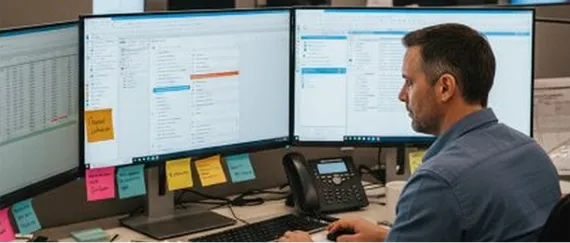
Your teams constantly switch between disparate client files, vendor lists, payment systems, and status logs. The outcome is inconsistent service delivery across engagements.

W-9s, business information and banking details are chased via email threads and logged inconsistently which results in duplicate vendor records and missing data.

When approval requests are via email or messaging apps your firm lacks structured authorization controls and that leads to weak audit trails.

Because vendor tax data is disconnected from daily payment processing, you’ll likely scramble during tax season when you’re left rebuilding payment histories of all your client accounts.
Using one repeatable process without mixing any of the client data helps every business, vendor network and accounting history stay clean and separated from day one.
Create each client’s profile manually or through accounting software, configure approval roles and thresholds.
Send vendors a secure one-click onboarding link on behalf of that client to collect the vendor details.
W-9s, TINs, business and banking details flow into the correct client and vendor record with real-time TIN-matching.
Schedule and send individual or batch payments to each client’s vendors after they get approved by that client.
Monitor the status of all payments in real-time. At the same time, two-way synchronization makes sure that QuickBooks Online or Desktop records are always aligned.
You can maintain reportable payments throughout the year so that eligible Form 1099-NEC and 1099-MISC drafts can be easily auto-populated and are ready for eFiling via the Tax1099 ecosystem during tax season.
Zenwork Payments plays a crucial role by adding dedicated accounts payable automation to your firm's Client Accounting Services (CAS) stack. And how does it compliment the client accounting software and their existing system that the team already uses? By unifying vendor onboarding, customizable workflow approvals, payment execution, and 1099 readiness into one controlled environment.
Everything stays in order. Each business gets to keep its own vendor list, approval workflow, payment history, and tax records along with a unified working view of the firm. This way, your team works from a single dashboard instead of juggling spreadsheets. The result? There’s a standardized process, controls, and audit trails across clients that firms can review and verify at one go.
| Client business | Vendor records | Payments | 1099 |
|---|---|---|---|
| Atlas Design Co. | W-9s collected | Completed | 1099 ready |
| Northstar Services | Invites sent | Scheduled | Tracking |
| Riverbend Studio | W-9s collected | Processing | 1099 ready |
| Oakline Media | W-9s collected | Completed | Tracking |
You get to provide each client’s vendors a secure and self‑service path through our dedicated, free –to-use portal ‘xForce’ to submit business information, W‑9s, tax IDs, and banking details. The updated data then lands in the right client and vendor record from day one, that's ready for payments, audits, and year-end tax work.
Schedule individual or batch payments without hopping between bank portals and accounting files. Payment method, status, and history stay attached to the correct client and vendor, so firms can manage payables without re‑keying the same information across disconnected tools.
Review scheduled, processing, and completed payments from one centralized workspace. Clearer visibility means staff can answer client and vendor questions faster.
Two‑way integration with QuickBooks Online and Desktop keeps vendor and payment data aligned with the accounting system. Zenwork Payments works alongside QuickBooks and not in place of it. This syncs bills, payments, and vendor details so ledgers stay accurate without extra reconciliation.
Connect W‑9 information to reportable vendor payments as they occur. Form 1099‑NEC and 1099‑MISC records auto‑draft throughout the year, turning 1099 readiness into an ongoing part of the payment workflow instead of a frantic, seasonal rebuild.
Provide vendors with a secure portal to update banking information, review payment statuses, and download tax forms as this significantly reduces routine support inquiries.
If you’re growing, but every new client feels like a new system to manage, that’s the hidden cost of manual AP. With Zenwork Payments, your team follows the same steps for every engagement - onboarding, approvals, payments, 1099s, without mixing vendor lists, ledgers, or payments/tax records.
| Operational Area | Before Zenwork Payments | With Zenwork Payments |
|---|---|---|
|
Vendor Onboarding
|
Chasing W-9s and bank details through
manual email chains
|
Automated self-service onboarding link
with real-time TIN matching
|
|
Payment Execution
|
Jumping between separate bank portals
and check printing tools
|
Schedule ACH and check payments directly
within one connected workflow
|
|
Invoice Processing
|
Manual data keying of vendor bills
and line items
|
AI-powered OCR line-item extraction
and auto-GL coding
|
|
Approval Tracking
|
Informal email approvals with limited
audit visibility
|
Structured & customizable approval
routing with an immutable audit log
|
|
Client Vendor Storage
|
Disconnected vendor spreadsheets
scattered across team folders
|
Organized, separated client vendor
profiles inside one dashboard
|
|
Status Updates
|
Answering frequent “where's my payment?”
client and vendor calls
|
Real-time payment tracking and a 24/7
self-service vendor portal
|
|
1099 Tax Prep
|
Manual January rebuilding of payment
histories under deadline pressure
|
Maintain audit trails and eligible
tax-ready payment records auto-populated
automatically throughout the year
|
Establish a scalable, repeatable AP and vendor management service across client accounts with better oversight and multi-entity governance.
Oversee the complete vendor-to-1099 lifecycle across multiple clients from a single, unified workspace.
Eliminate manual entry across systems, stop chasing W-9 forms over email, and reduce checking payment statuses.
Work with the firms using organized vendor payment workflows with full audit trail visibility while keeping accounting records fully synced.
Zenwork Payments acts as the dedicated vendor management, vendor payment and compliance layer around your client accounting tools. It doesn’t replace practice management, general ledger, or primary tax software. Instead, it adds a connected payment workflow that works within the broader software stack of CPA and accounting firms.
QuickBooks Online/Desktop: Import client data & synchronize vendor & payment records
Tax1099 Ecosystem: Import client data, direct 1099 preparation and eFiling pipeline
QuickBooks Online
QuickBooks Desktop
Payer & Vendor Setup
Bills / Payments Capture
Zenwork Payments
Payment & tax-readiness layer
Approval Workflow
1099 Ready
Tax1099
Preparation & e-filing
AP automation for accounting firms and CPAs helps teams organize vendor onboarding, vendor details, invoice capture, approval workflows (bill & payments), payment execution, and general ledger sync across client businesses. Zenwork Payments integrates these functions with automated W-9 collection, real-time TIN matching, and auto-drafted eligible 1099 forms for year-end filing.
Zenwork Payments gives CAS and bookkeeping teams a standardized workflow for onboarding vendors, receive bills via dedicated email channel or AI OCR, routing approvals, executing ACH and check payments, tracking statuses, synchronizing QuickBooks records, and maintaining eligible tax-ready records year-round.
Yes, Zenwork allows firms to maintain separate client vendor lists, approval rules, and accounting files while managing payment workflows and tax readiness from a centralized, single dashboard environment.
It should keep client records separate, support vendor onboarding, provide ACH and check payments, approval workflow, track payment status, connect with client accounting systems, and store data for 1099 preparation.
No, Zenwork Payments doesn’t replace tax preparation, practice management, bookkeeping, or general ledger software. It works alongside those systems serves as a vendor onboarding, accounts payable, vendor-payment, and tax-readiness layer.
Zenwork Payments complements the accounting and bookkeeping tools used by CAS teams. It connects client vendor records, payment details (ACH and check), and 1099 preparation within a dedicated payment workflow.
W-9 details and TIN validity are verified during vendor onboarding (and not at the year-end). As reportable vendor payments occur throughout the year, Form 1099-NEC and 1099-MISC records gets drafted automatically, which helps in direct eFiling via Tax1099.
Centralize client vendor onboarding, payments, QuickBooks records, and year-round 1099 tracking so filing season becomes less stressful.
Get Started with Zenwork Payments Request a Demo